Gift cards
You can buy a venue's gift cards online, for yourself or as a present, and use them to pay for bookings. This page covers buying, checking the balance, extending a card that's about to expire, and paying with one.
For how venues set up gift cards, see Gift cards in the operator guide.
Buy a gift card
The Gift Cards page lists the cards on sale. Each card shows its value, or Choose Amount if you can pick the amount yourself, and how long it's valid.
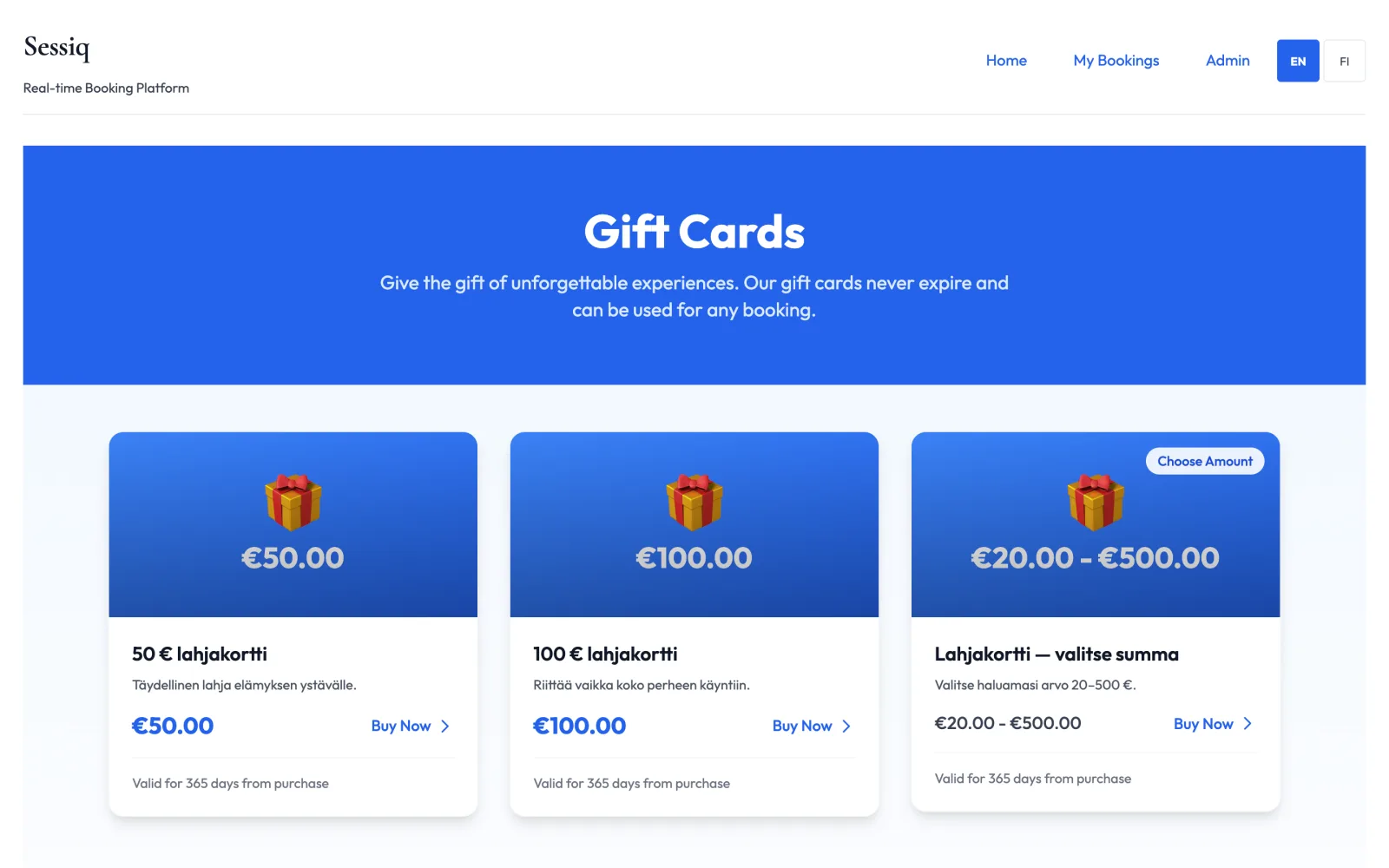
- Click Buy Now on a card.
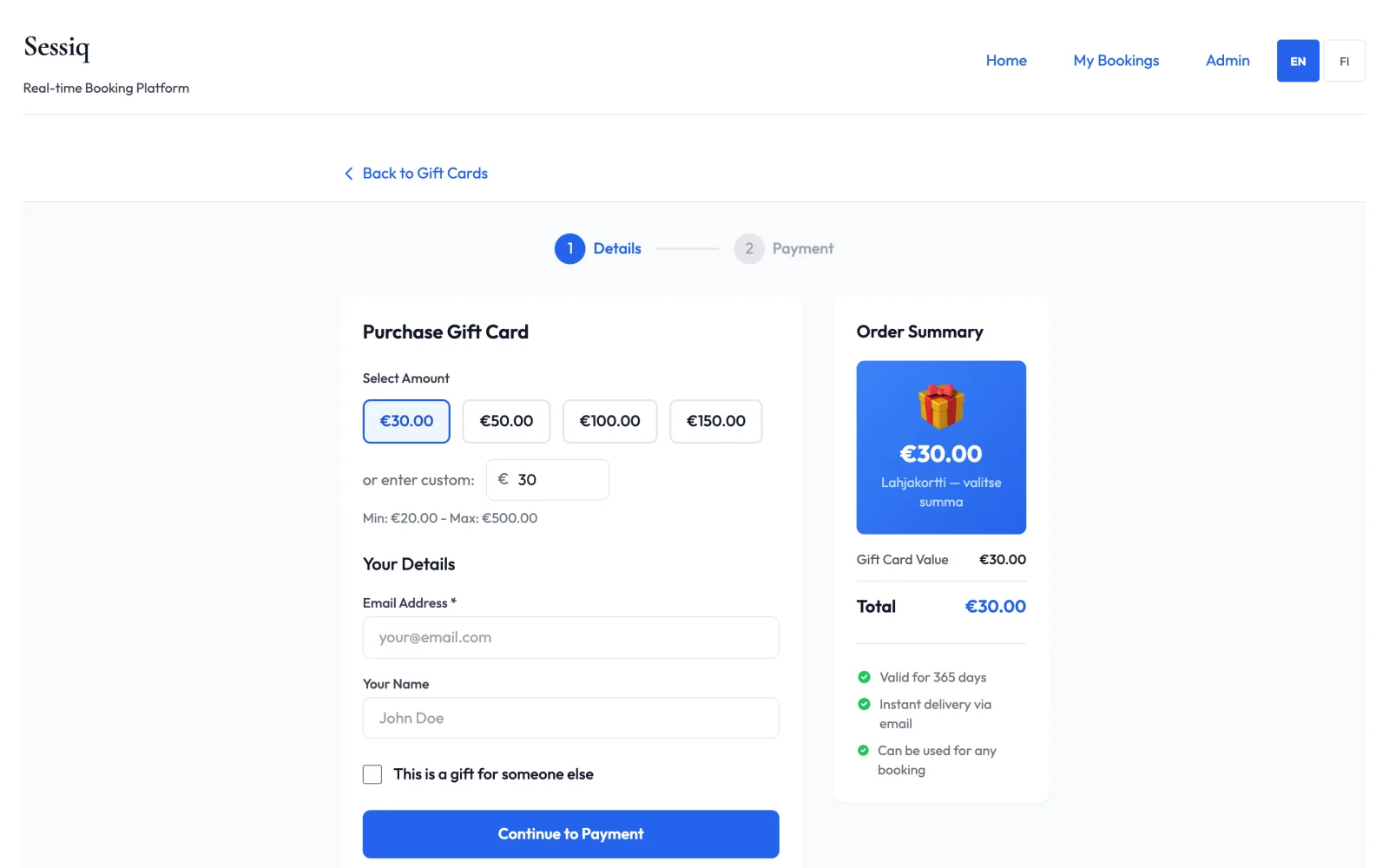
- If the card lets you choose, pick an amount under Select Amount, or enter your own amount between the minimum and maximum shown.
- Under Your Details, enter your Email Address. Your Name is optional.
- If it's a present, tick This is a gift for someone else, then enter the Recipient Email, the Recipient Name, and a Personal Message (optional) of up to 500 characters.
- Check the Order Summary and click Continue to Payment.
- Pay by card with Pay Now, or with Continue to Bank Payment to pay through your online bank. If the venue offers both, you choose which.
When the payment is done, you'll see Purchase Complete! with the gift card code, its Valid Until date and a Purchase ID.
The gift card is emailed straight away: to the recipient if it's a gift, otherwise to you. As the buyer of a gift you also get a confirmation email. There is no printable PDF. The code in the email is the gift card.
If you cancel a bank payment, you'll see Payment Cancelled and nothing is charged.
Delivery by post
Some venues also post the gift card. If you see Delivery by post (+5,00 €) in the purchase form, you can tick it:
- Enter the postal address where the card should go: name, street address, postcode and city (Finland only). For a present, give the recipient's address or your own.
- If it's a present, the recipient's email is optional.
- If your purchase comes with a bonus, choose whether to Post the bonus in the same envelope. Untick it if you'd rather keep the bonus yourself.
- You pay the card value plus postage.
The card is posted within the number of working days shown. You also get the code by email straight away, and you can use it before the card arrives. You get another email when the card has been posted. Before Christmas the venue may stop taking posted orders after a set date; the form shows the last day.
How long a gift card is valid
Each gift card is valid for a set number of days after you buy it, often a year. The venue decides the period, and it's shown on the card before you buy. The expiry date is shown on the success page, in the email and on the balance page.
Check the balance
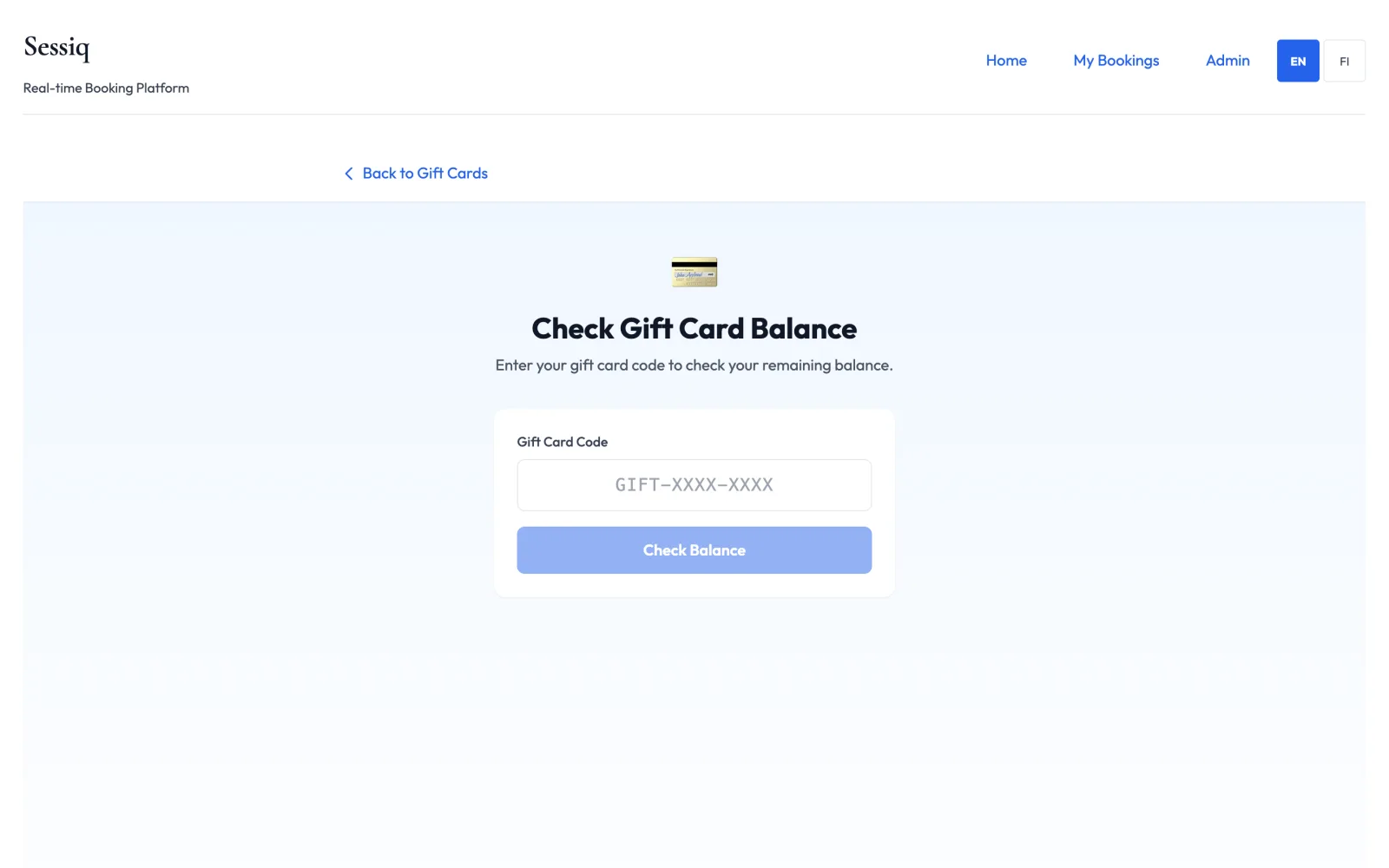
Under Already have a gift card?, click Check Balance. Enter the Gift Card Code and click Check Balance.
You'll see:
- Current Balance, and the original value
- Status: Active, Fully Redeemed or Inactive
- Expires: the expiry date
Use This Gift Card takes you to the experiences, so you can book with it.
Extend a gift card
Some venues let you buy more time on a gift card. If yours does, the balance page shows an Extend validity section for your card, with the Extension price, the Added validity in months, and how many extensions you have left.
Click Pay & extend and pay by card or through your online bank. When it's done, you'll see Your gift card validity was extended. and the New expiry date.
- You can extend at any time before the card expires. The added months are counted from the current expiry date.
- For a short time after the card expires (usually 7 days), you can still extend it, but a higher fee may apply. The new validity is then counted from the day you extend.
- The card needs a balance left, and there's a limit on how many times it can be extended.
If the section doesn't appear, the card can't be extended.
Reminder email
If your card can be extended, you get one reminder email before it expires, usually 30 days before. The email shows the code, the remaining balance and the expiry date, with an Extend validity button that opens the balance page for your card.
Pay with a gift card
- Book as usual. See Booking an experience.
- In the Payment step, open Promotions & Vouchers.
- Enter the code under Gift Card / Voucher Code and click Apply. You can click Check Balance first to see the balance and expiry.
- The amount used is shown, along with what's left on the card.
Things to know:
- You can use one gift card or voucher per booking.
- If the gift card doesn't cover the whole price, you pay the rest with one of the usual payment options.
- If it covers the whole price, you'll see Your voucher covers the full amount. No additional payment is needed. Click Confirm Booking.
- Any balance left stays on the card for your next booking.
- An expired card can't be used.
If you cancel a booking you paid with a gift card, the gift card part is returned to the card.